ZESTYPRINTABLES
Bill payment tracker printable preview

Bill Payment Tracker

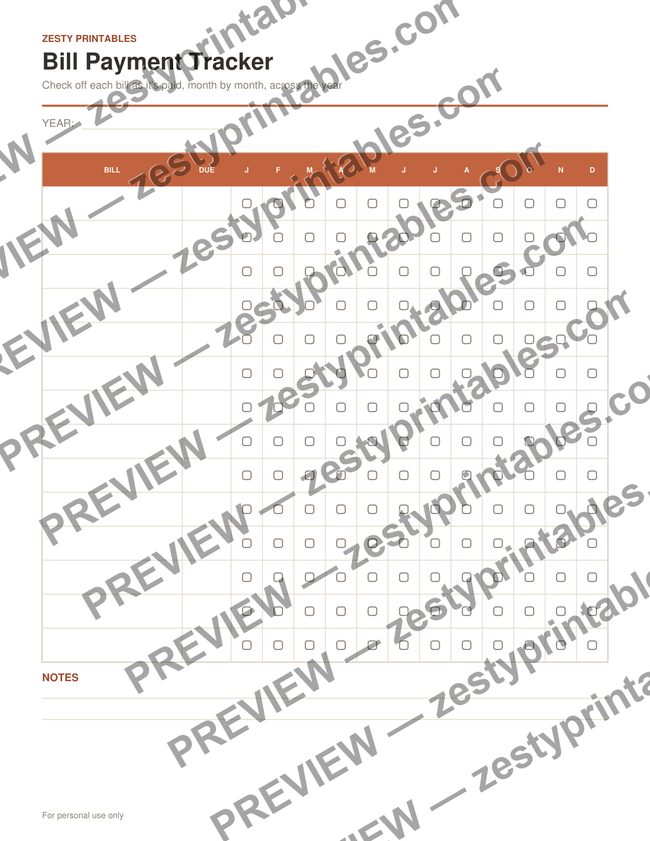
Every bill down the side, twelve months across the top

One page that answers the question of whether you already paid that. List your recurring bills down the left with their due dates, then tick a box each month as each one is paid.

  • 14 bill rows with a Due date column
  • Twelve monthly check-off columns, January to December
  • Year field at the top
  • Notes lines at the bottom
  • Undated year - works for any year

Instant PDF download, print-ready on US Letter paper. No account needed.

How to Use It

  1. Write your recurring bills into the left column, with their usual due date beside each.
  2. Tick the month column each time a bill is paid.
  3. Scan across any row to spot a month you missed.

Frequently Asked Questions

Does it track how much each bill costs?

No - the month columns are check-off boxes, not amount fields, so it tracks whether a bill was paid rather than what it cost. The Monthly Budget Tracker is the one for amounts.

How many bills fit?

Fourteen rows. If you have more, print a second copy - the year field is per page, so both stay readable.